
NewAutomation
Work Studio workflows
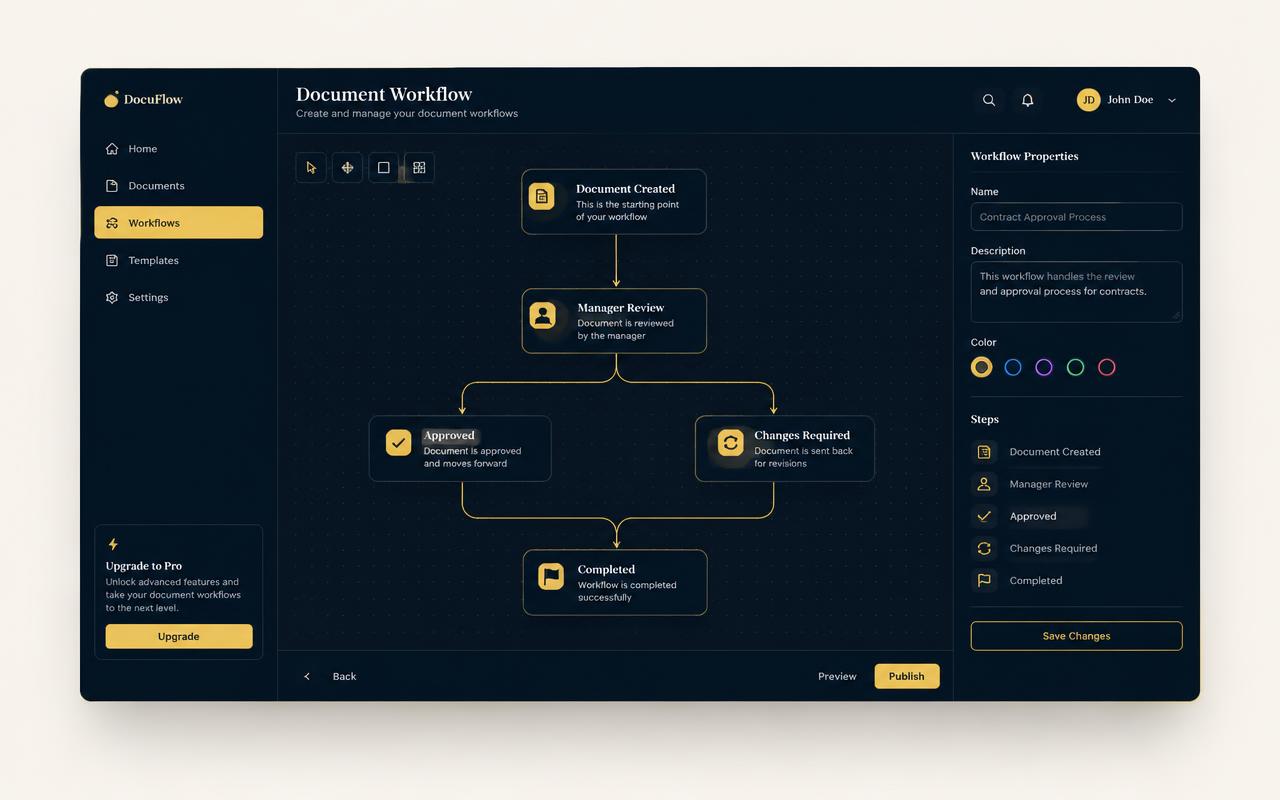
Work Studio turns a ten-step document chore into a single click. Drop tools onto a canvas, reorder them freely, save the chain as a preset and run it across hundreds of files with live progress — all locally.
Highlights
- Drag-and-drop step builder with conditional branches
- Presets you can reuse, rename and share as a file
- Batch runs with per-file progress and retry
How it works
- 1
Pick your tools
Search the 133-tool library and drop each one onto the canvas as a step.
- 2
Order and branch
Connect steps, add conditions for scanned versus digital files, and preview the result.
- 3
Save as a preset
Name the chain once; it appears in your sidebar for every future run.
- 4
Run the batch
Select a folder and watch pages stream through with live progress.
Tools included
- Merge
- Combine documents in any order, with bookmarks preserved.
- OCR
- Make scans searchable before the next step runs.
- Redact
- Remove matched names or patterns across every file.
- Batch runner
- Apply the whole chain to a folder in one pass.